XMP Sidecars
Gallery supports XMP sidecar files: external .xmp files that store metadata for an image or video in XML format. During the metadata extraction job Gallery will read & import metadata from .xmp files, and during the Sidecar Write job it will write metadata back to .xmp.
Tools like Lightroom, Darktable, digiKam and other applications can also be configured to write changes to .xmp files, in order to avoid modifying the original file.
Metadata Fields
Gallery does not support all metadata fields. Below is a table showing what fields Gallery can read and write. Writes do not replace the entire file contents; they are merged with any existing fields.
Gallery automatically queues a Sidecar Write job after editing the description, rating, or updating tags.
| Metadata | Gallery writes to XMP | Gallery reads from XMP |
|---|---|---|
| Description | dc:description, tiff:ImageDescription | dc:description, tiff:ImageDescription |
| Rating | xmp:Rating | xmp:Rating |
| DateTime | exif:DateTimeOriginal, photoshop:DateCreated | In prioritized order:exif:SubSecDateTimeOriginalexif:DateTimeOriginalxmp:SubSecCreateDatexmp:CreateDatexmp:CreationDatexmp:MediaCreateDatexmp:SubSecMediaCreateDatexmp:DateTimeCreated |
| Location | exif:GPSLatitude, exif:GPSLongitude | exif:GPSLatitude, exif:GPSLongitude |
| Tags | digiKam:TagsList | In prioritized order: digiKam:TagsListlr:HierarchicalSubjectIPTC:Keywords |
All other fields (e.g. Creator, Source, IPTC, Lightroom edits) remain in the .xmp file and are not searchable in Gallery.
File Naming Rules
A sidecar must share the base name of the media file:
- ✅
IMG_0001.jpg.xmp← preferred - ✅
IMG_0001.xmp← fallback - ❌
myphoto_meta.xmp← not recognized
If both .jpg.xmp and .xmp are present, Gallery uses the .jpg.xmp file.
CLI Support
- Detect – Gallery looks for a
.xmpfile placed next to each media file during upload. - Copy – Both the media and the sidecar file are copied into Gallery's internal library folder.
The sidecar is renamed to match the internal filename template, e.g.:
upload/library/<user>/YYYY/YYYY-MM-DD/IMG_0001.jpg
upload/library/<user>/YYYY/YYYY-MM-DD/IMG_0001.jpg.xmp - Extract – Selected metadata (title, description, date, rating, tags) is parsed from the sidecar and saved to the database.
- Write-back – If you later update tags, rating, or description in the web UI, Gallery will update both the database and the copied
.xmpfile to stay in sync.
External Library (Mounted Folder) Support
- Detect – The
DISCOVERjob automatically associates.xmpfiles that sit next to existing media files in your mounted folder. No files are moved or renamed. - Extract – Gallery reads and saves the same metadata fields from the sidecar to the database.
- Write-back – If Gallery has write access to the mount, any future metadata edits (e.g., rating or tags) are also written back to the original
.xmpfile on disk.
If the mount is read-only, Gallery cannot write the sidecar and the edit is silently reverted: the new value is saved to the database, then overwritten again when the file is re-read. No error is shown. See issue #10538 for more details.
Admin Jobs
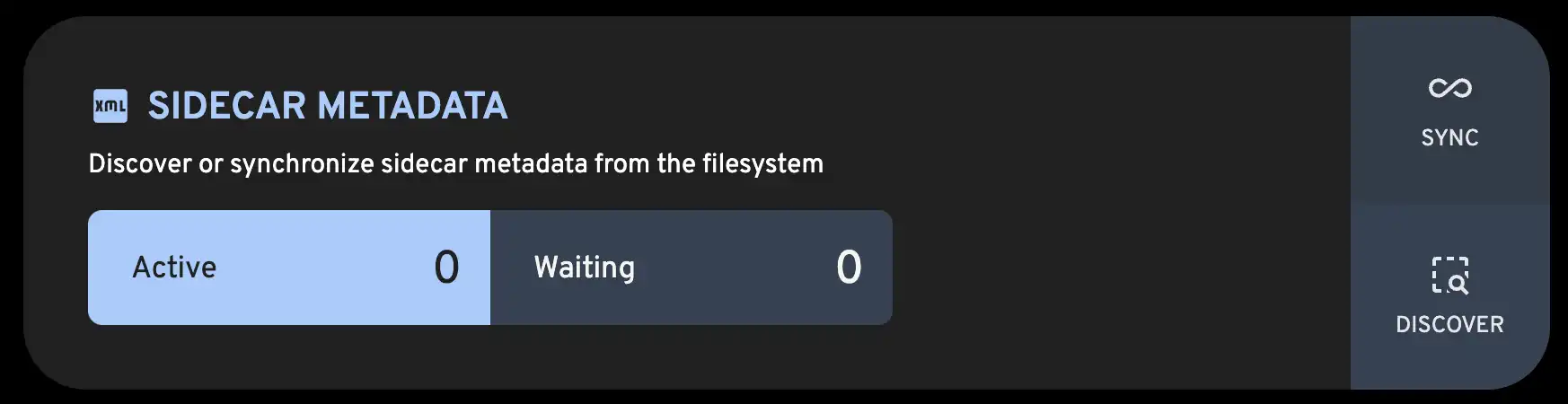
Gallery provides two admin jobs for managing sidecars:
| Job | What it does |
|---|---|
DISCOVER | Finds new .xmp files next to media that don’t already have one linked |
SYNC | Re-reads existing .xmp files and refreshes metadata in the database (e.g. after external edits) |