Sharing
Gallery supports local sharing, with users on the same Gallery instance, and public sharing via public links.
Local sharing
Albums
Albums can be shared between users on the same Gallery instance. The shared users can view and add their own photos and videos to the shared album.
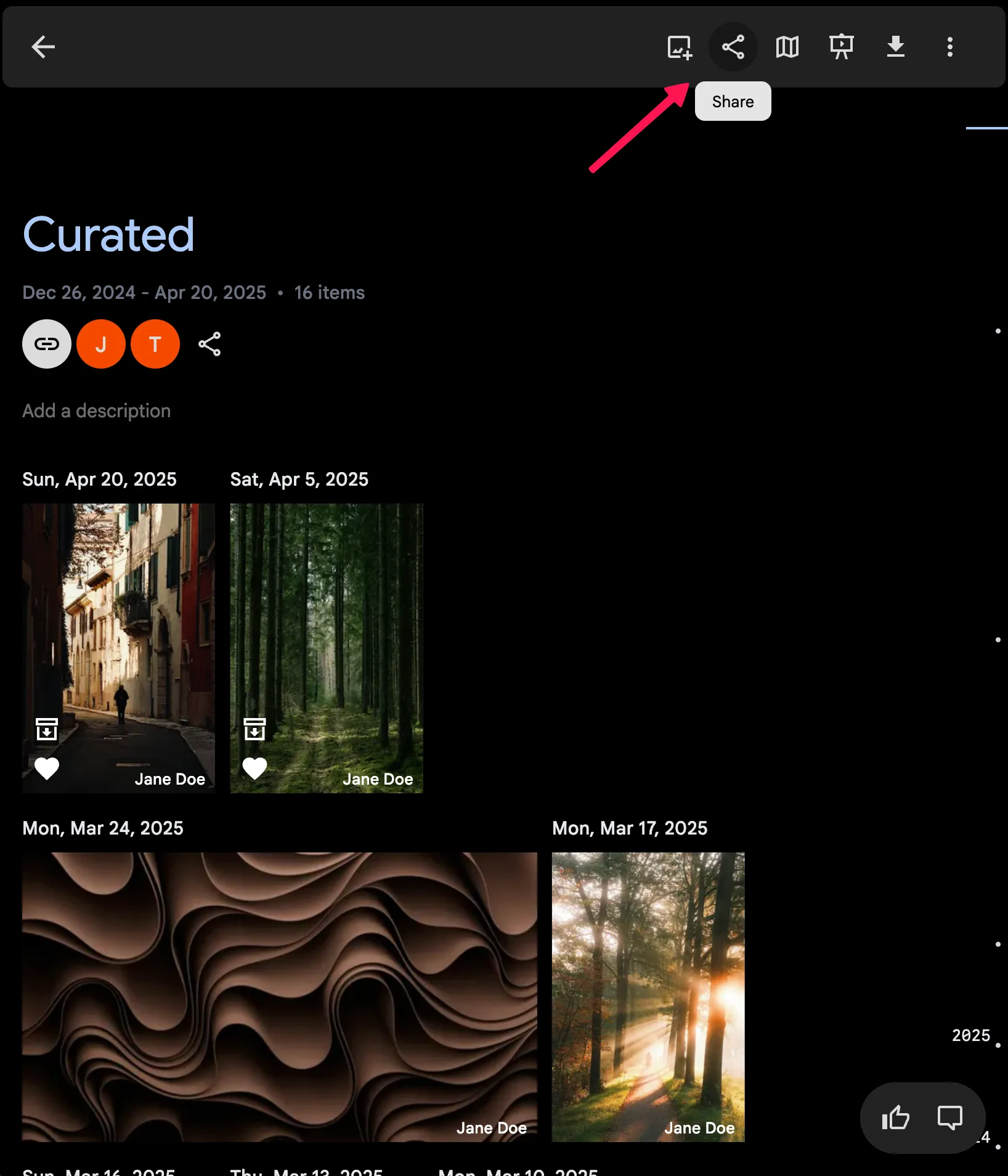
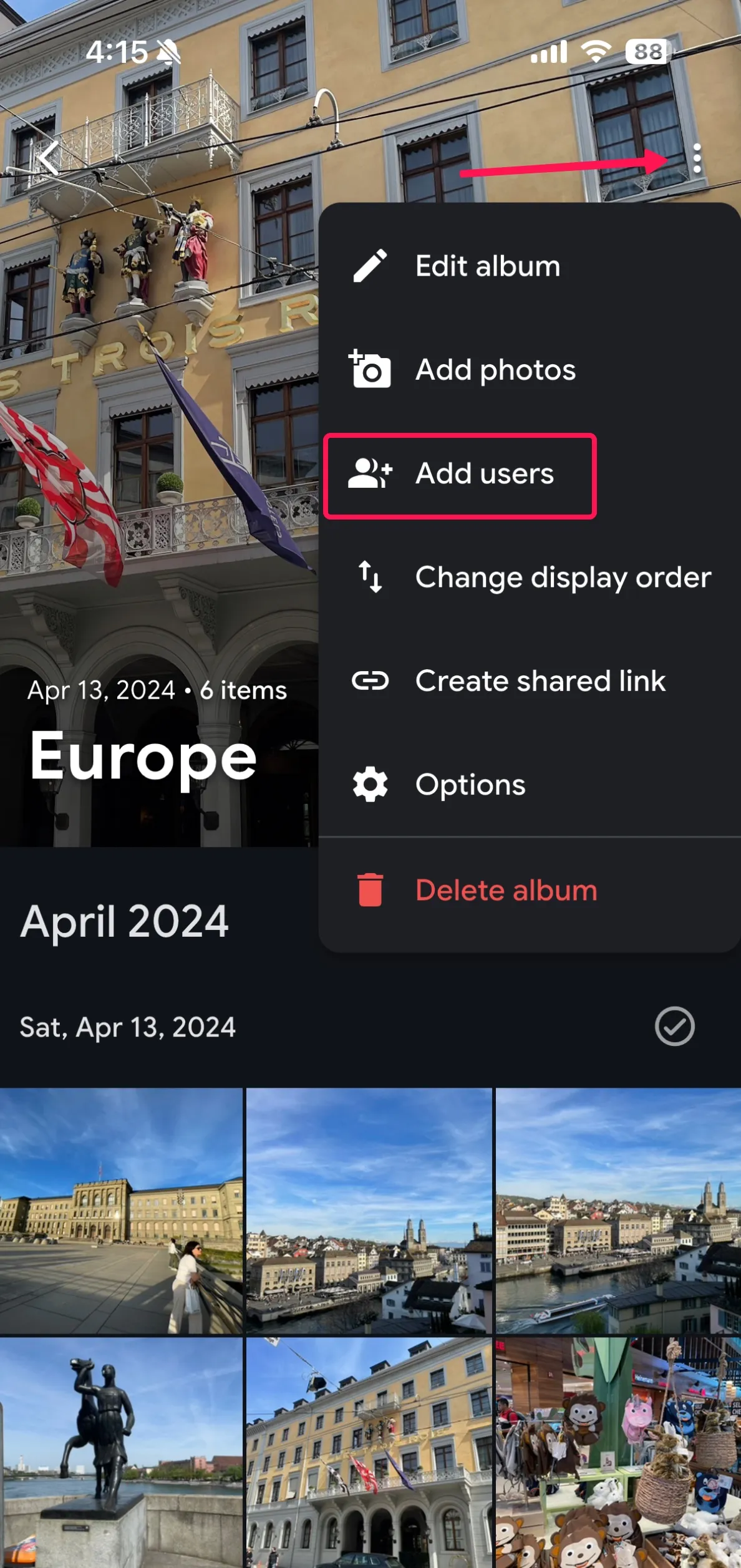
After creating an album, you can access the sharing options by clicking on the share icon. When sharing an album, you can select the users you want to share the album with and assign them permissions either as editors (read-write) or viewers (read-only).
Filtering albums on web
Album detail pages include the same filter panel used on the main Photos timeline. You can narrow an album by people, location, camera, tags, rating, media type, favorites, and date range. Filter suggestions are scoped to the current album, so visible options only reflect assets that are actually in that album.
The Add photos picker has the same filters, so you can pick out a narrow set of assets for a large album without leaving the album.
Web
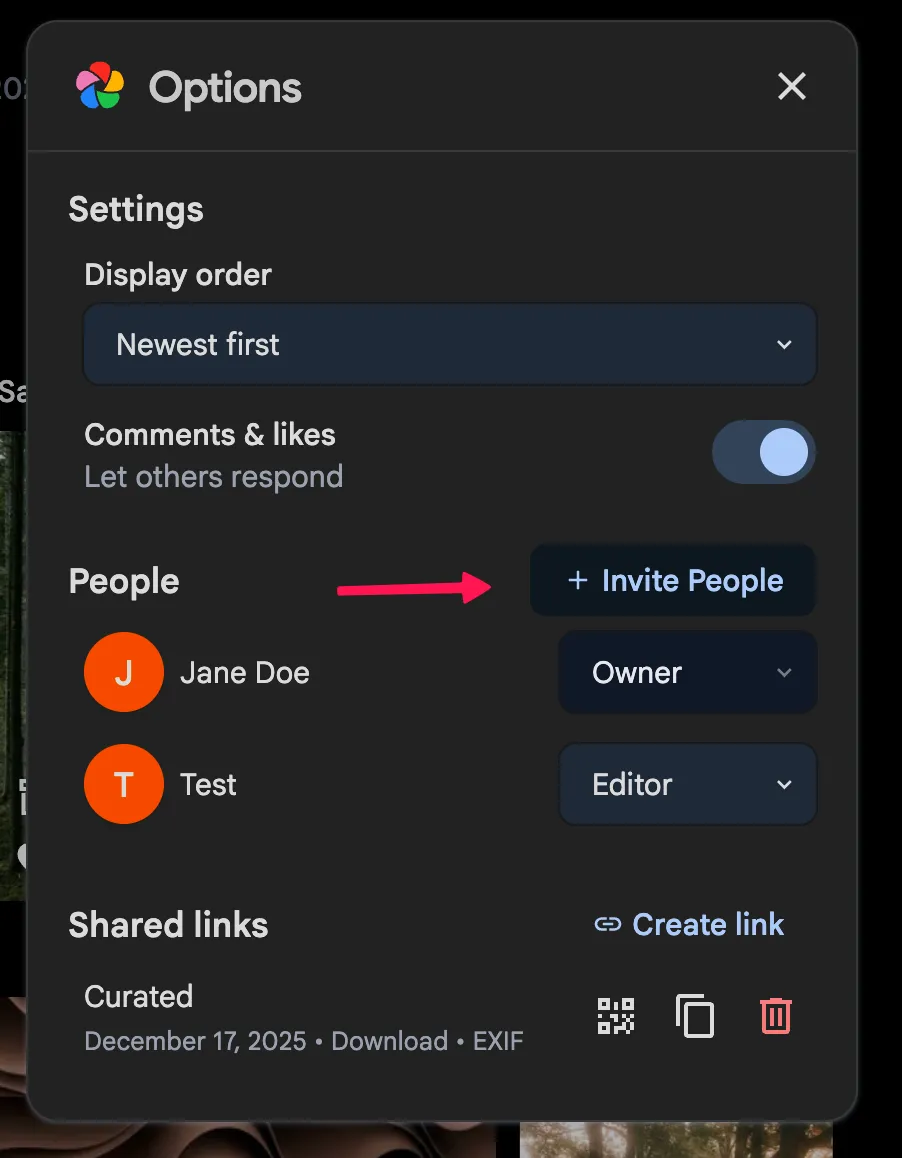
Mobile App
Partners
Partner sharing allows you to share your entire library with other users of your choice. They can then view your library and download the assets.
You can read this guide to learn more about partner sharing.
Public sharing
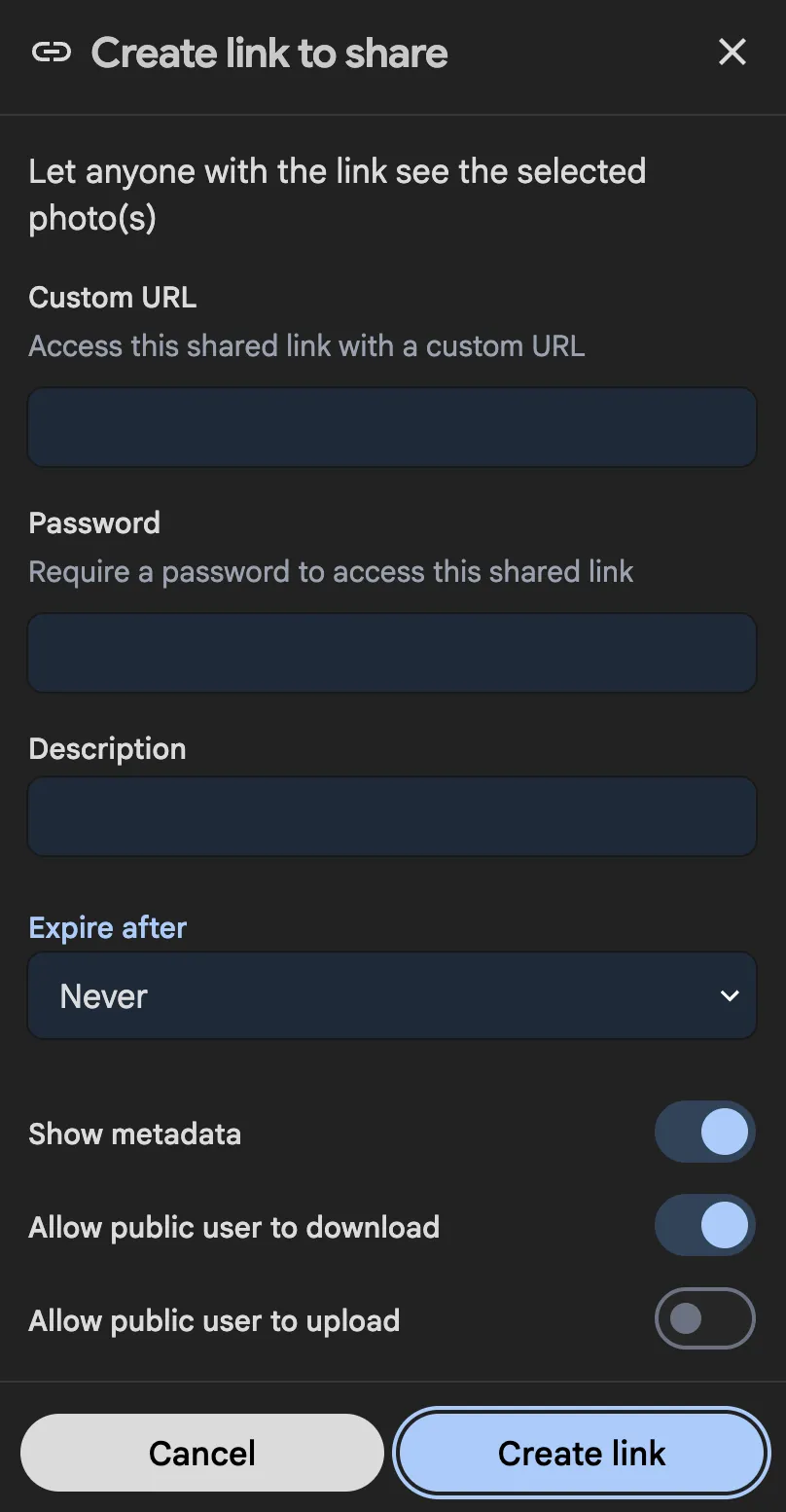
You can create a public link to share a group of photos or videos, or an album, with anyone. The public link can be shared via email, social media, or any other method. There are a variety of options to customize the public link, such as setting an expiration date, password protection, and more. Public shared link is handy when you want to share a group of photos or videos with someone who doesn't have a Gallery account and allow the shared user to upload their photos or videos to your account.
The public shared link is generated with a random URL, which acts as as a secret to avoid the link being guessed by unwanted parties, for instance.
https://my.immich.app/share/JUckRMxlgpo7F9BpyqGk_cZEwDzaU_U5LU5_oNZp1ETIBa9dpQ0b5ghNm_22QVJfn3k
Creating a public share link
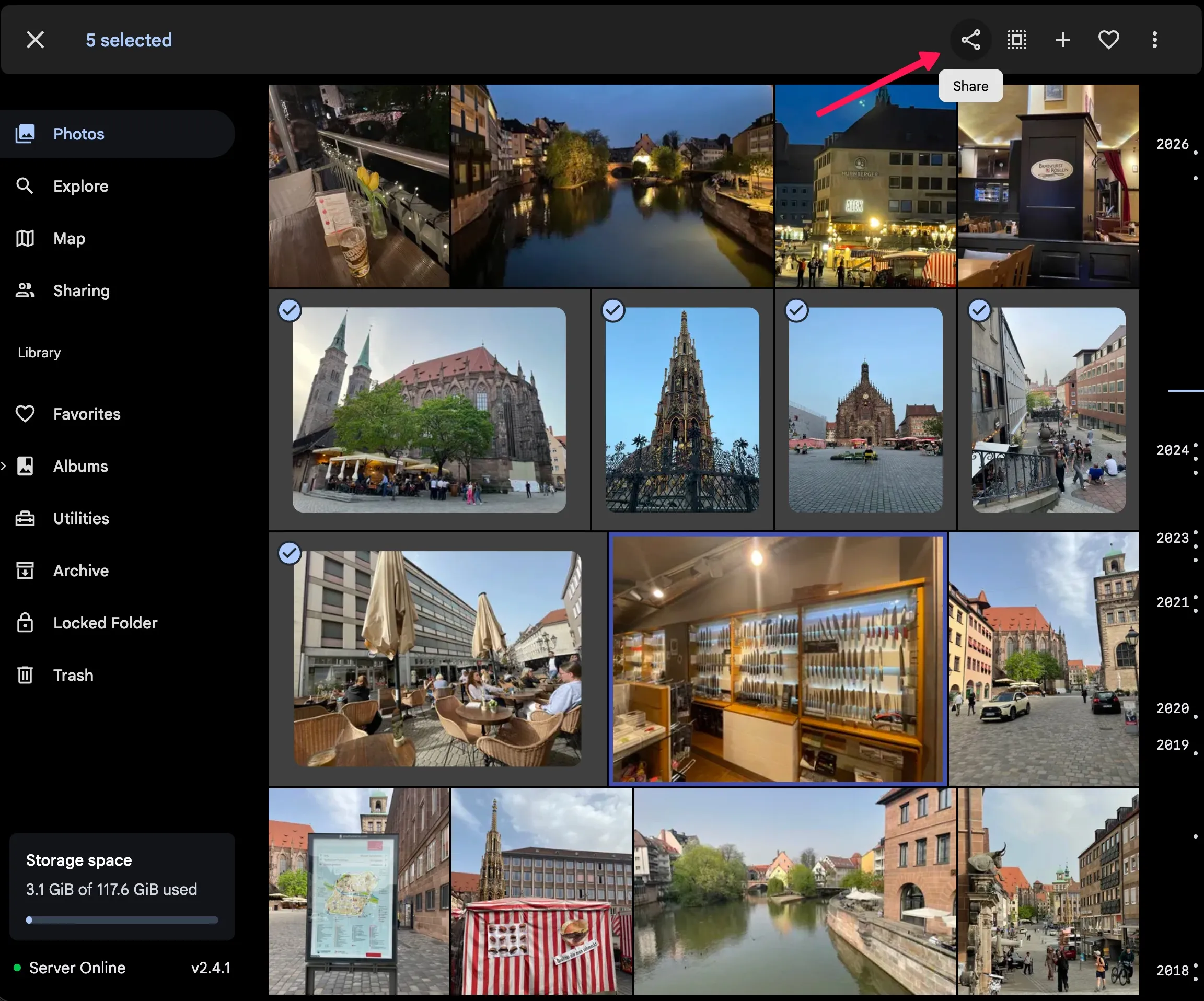
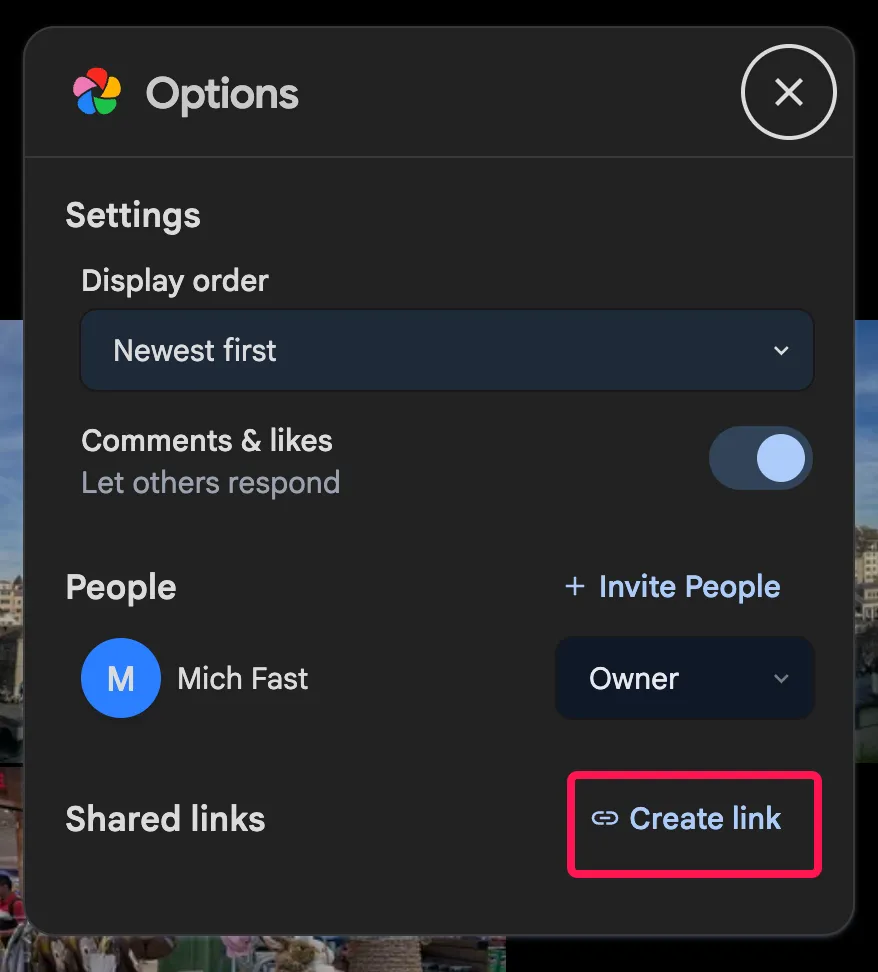
You can create a public share link by selecting the photos or videos, or from the share icon on an album.
Sharing from a Shared Space
A link created from inside a Shared Space covers everything the space shows. Photos other members contributed are part of it, so the link matches what members see in the space.
Because publishing someone else's photo is a decision you make on their behalf, this is restricted and announced:
- Only a space Owner or Editor can create one. A Viewer can still share a link, but only covering their own photos, as before.
- The create-link dialog warns you before the link exists, naming how many of the selected photos other members contributed.
The link stays tied to the space rather than taking a permanent copy of the permission. It serves another member's photo only while:
- that photo is still in the space,
- the album it was contributed to is still linked to the space, and
- you are still a member of the space.
So a contributor who removes their photo from the space revokes it from the link at the same moment, without needing to know the link exists. None of this touches photos you own yourself. They stay in the link either way. Deleting the space leaves the link working, reduced to your own photos.
Customizing the public share link
You can customize the public share link by setting an expiration date, password protection, allow what actions can be performed on the shared assets, and more.