Editing
Gallery supports non-destructive editing of photos and videos. An edit never modifies the original file. It creates a new version with the edits applied, and you can always revert to the original.
Photo Editing
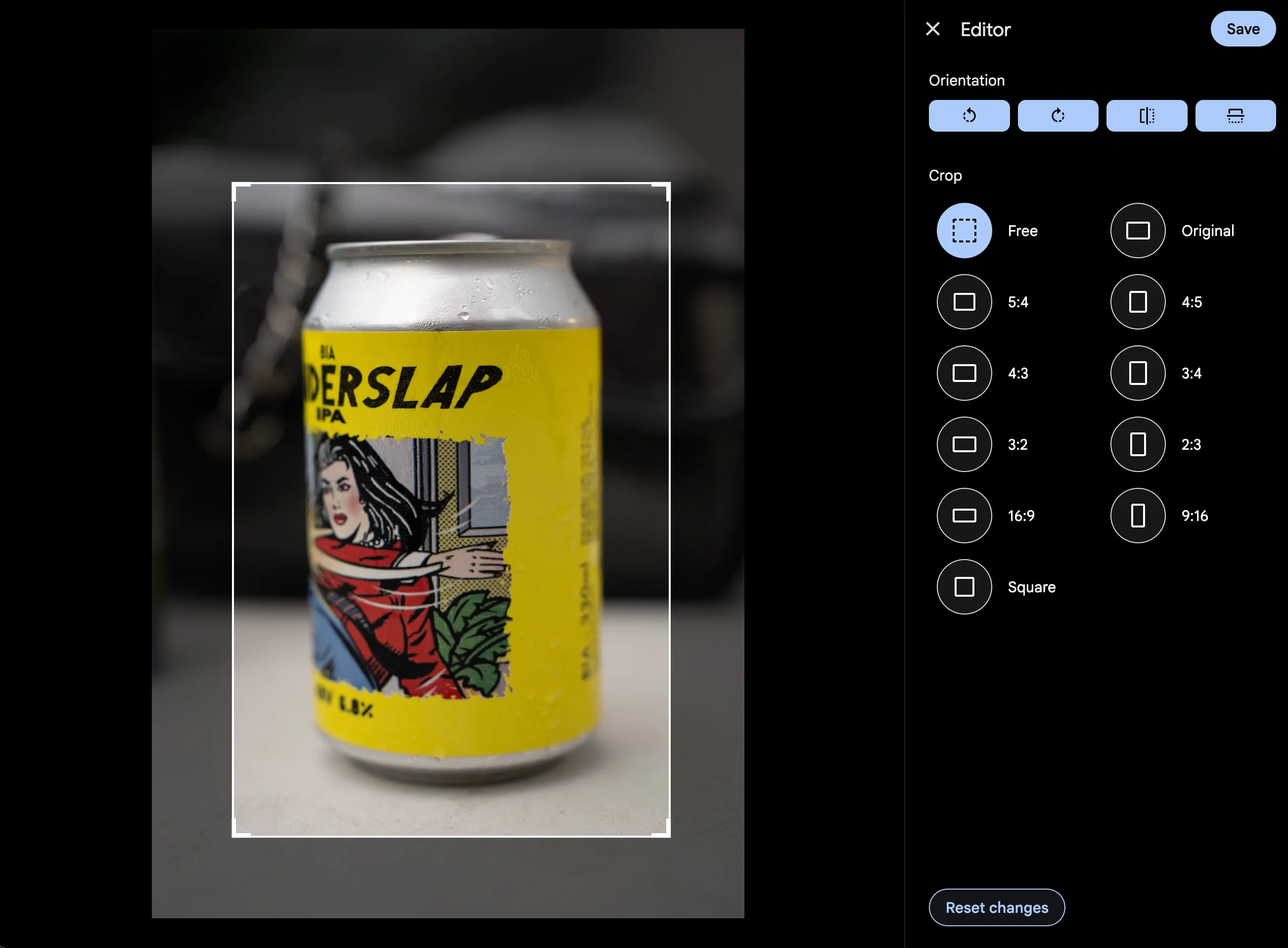
Gallery can apply these edits to a photo:
- Cropping
- Rotation
- Mirroring
Video Trimming
Trimming a video is non-destructive too. Open the editor on a video and a trim interface replaces the photo editor:
- A timeline scrubber sits below the video, with draggable in and out handles that pick the portion to keep.
- The sidebar shows the trimmed duration, in/out time inputs, and set in/out buttons.
- Press I to set the in point and O to set the out point at the current playback position. Space toggles play/pause within the trimmed region.
How It Works
Trimming uses FFmpeg stream copy (-c copy), so:
- Nothing is re-encoded. A trim finishes in seconds no matter how long the video is.
- Video and audio quality are identical to the original.
- Cut points land on the nearest keyframe, so the real start and end can sit a few frames away from the position you picked.
After saving, the video player serves the trimmed version. The thumbnail and displayed duration update on their own.
Re-trimming
You can re-open the editor on a trimmed video and adjust the range. The timeline still shows the full original duration, so you can widen the trim back toward the original length at any point. A trim never locks you into the shorter version.
Limitations
- Trimming is not available for videos stored on S3 or other cloud storage.
- Cuts are not frame-accurate; the precision depends on keyframe spacing.
- Crop, rotate and mirror are image-only.
Quick Rotate
You can rotate images without opening the full editor, from two places.
Asset Viewer
When viewing a single image, a Rotate Right button appears in the toolbar. Additional rotation options (Rotate Left and Rotate 180°) are available in the More menu (three dots).
The rotation is applied immediately and both the viewer and timeline thumbnail refresh in place.
Rotations are cumulative: rotating right twice gives a 180° rotation. When the total reaches a full 360°, the edit is removed and the asset goes back to its original orientation.
Multi-Select (Batch Rotate)
When selecting multiple assets in the timeline, you can rotate them all at once:
- Select the images you want to rotate
- Open the context menu (three dots)
- Choose Rotate Right, Rotate Left, or Rotate 180°
Only images are rotated; videos are skipped. Timeline thumbnails update once the server finishes processing each asset.
Download
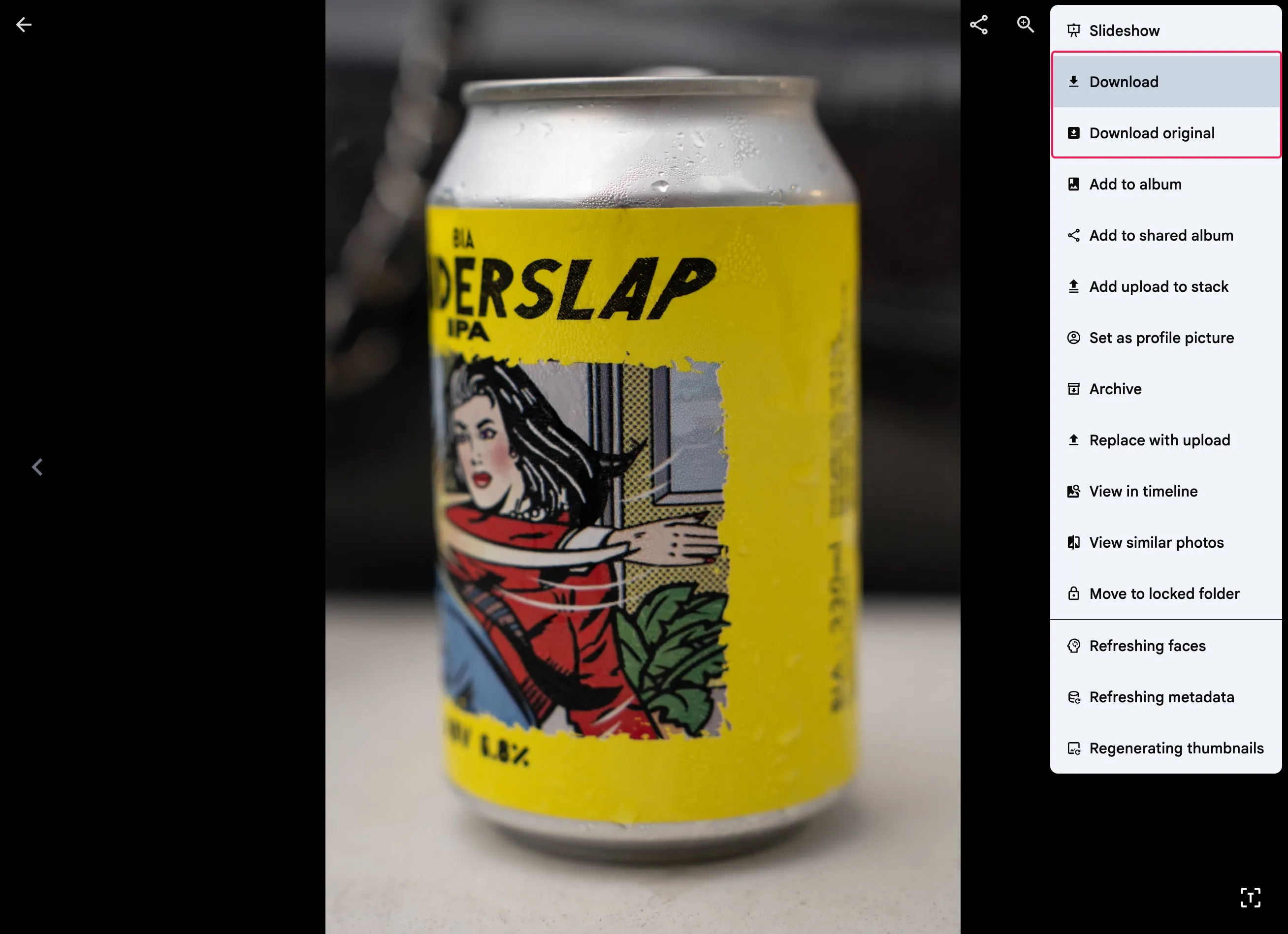
When you download an edited asset, Gallery provides the edited version of the asset by default. However, you can choose to download the original version if needed.
Reverting Edits
To revert an edited asset back to its original:
- Open the asset in the viewer
- Open the editor
- Remove all edits and save
The asset is restored to its original state and the thumbnail updates on its own.
Edited Asset Handling
Edits carry through the rest of Gallery:
- Thumbnails update after an edit, with no page refresh.
- Video playback serves the trimmed version when a trim edit exists.
- The duration shown on a video thumbnail reflects the trimmed length.
- Album thumbnails use the edited version of an asset when one exists.
- Person thumbnails show the original, unedited preview, which keeps face recognition accurate.
- Downloads serve the edited version by default, with an option to take the original.