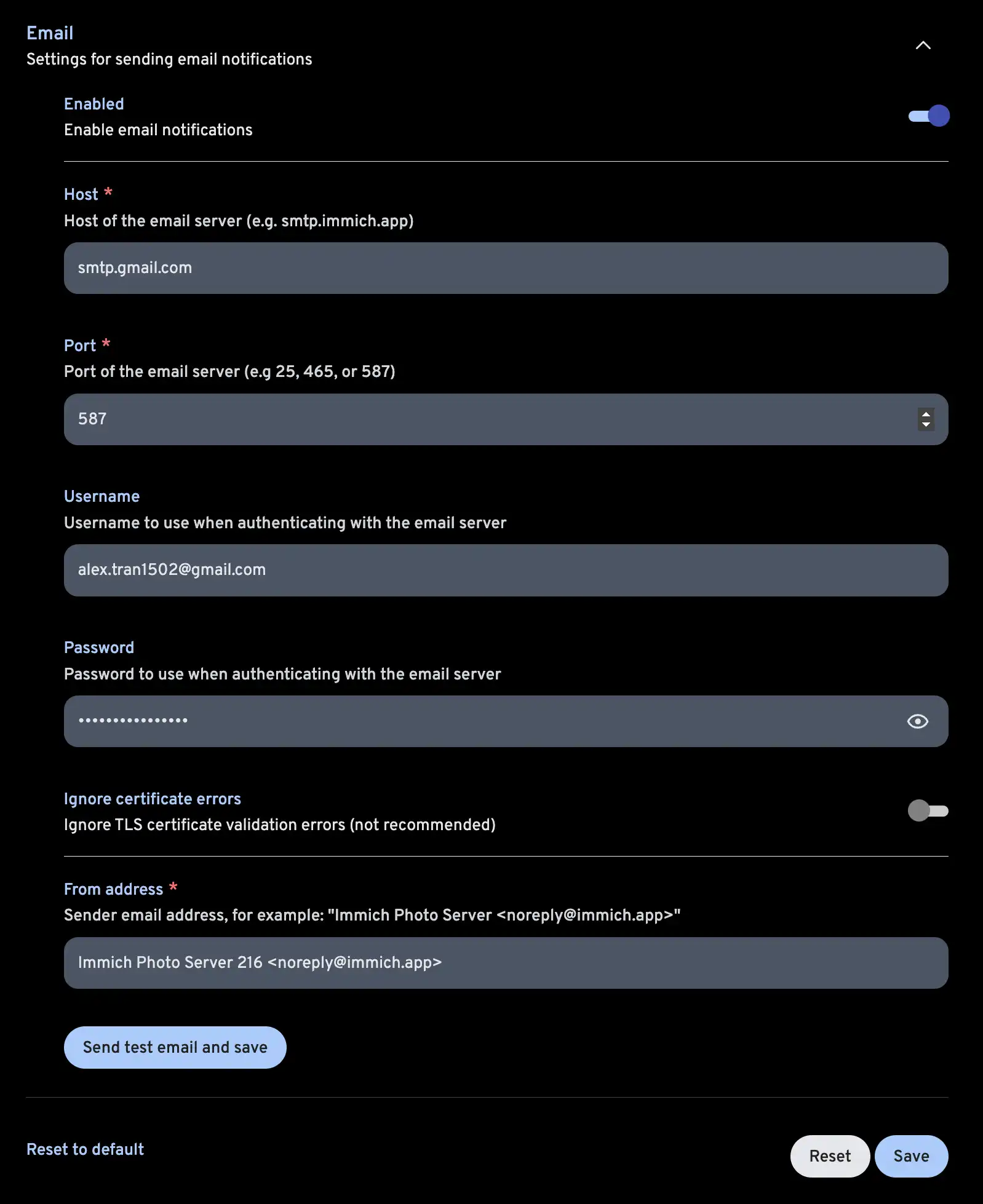
SMTP settings using Gmail
This guide walks you through how to get the information you need to set up your Gallery instance to send emails using Gmail's SMTP server.
Create an app password
From your Google account settings
- Add 2-Step Verification to your Google account (Required)
- Create an app password.
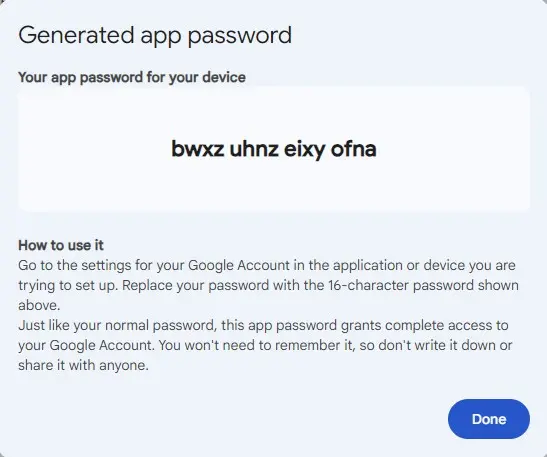
At the end of creating your app passwords, a password will be displayed; save it, it will be used for the password field when setting up the SMTP server in Gallery.
Entering the SMTP credential in Gallery
Entering your credential in Gallery's email notification settings at Administration -> Settings -> Notification Settings